 Castlivo
For iPhone
See how every stream really performs.
Castlivo plays the M3U playlists, stream links and Xtream Codes accounts you already have, and shows live resolution, bitrate, stalls and dropped frames under the picture while you watch.
Three tools you won't find in a basic player
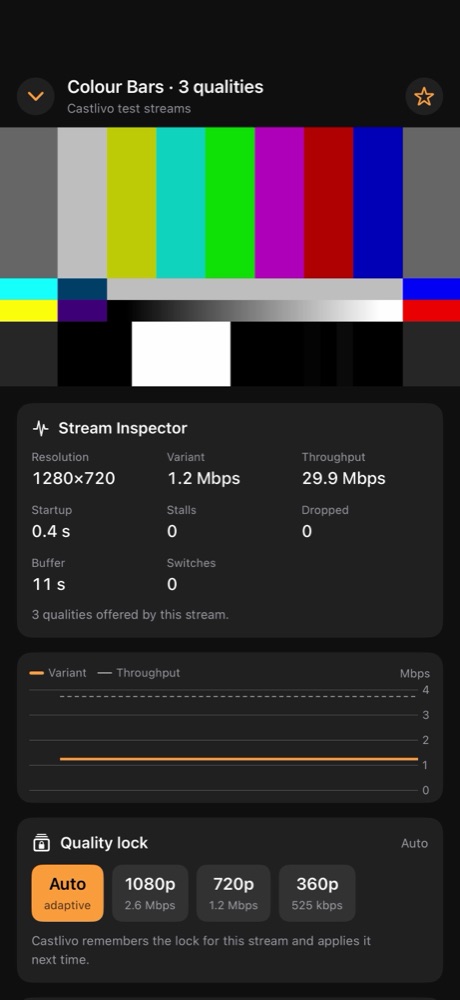
Stream Inspector
Resolution, variant bitrate, download throughput, startup time, stalls, dropped frames, buffer and quality switches, with a live bitrate graph. Each session is saved with a 0–100 smoothness score and can be shared as a text report.
Quality Lock
For HLS streams that offer several qualities, see the list (for example 1080p, 720p, 360p) and keep a stream at or below the one you choose. Castlivo remembers it for that stream.
Frame Grab
Capture the picture on screen at the stream's full resolution and save it to Photos or share it. On videos that support it, step one frame at a time first.
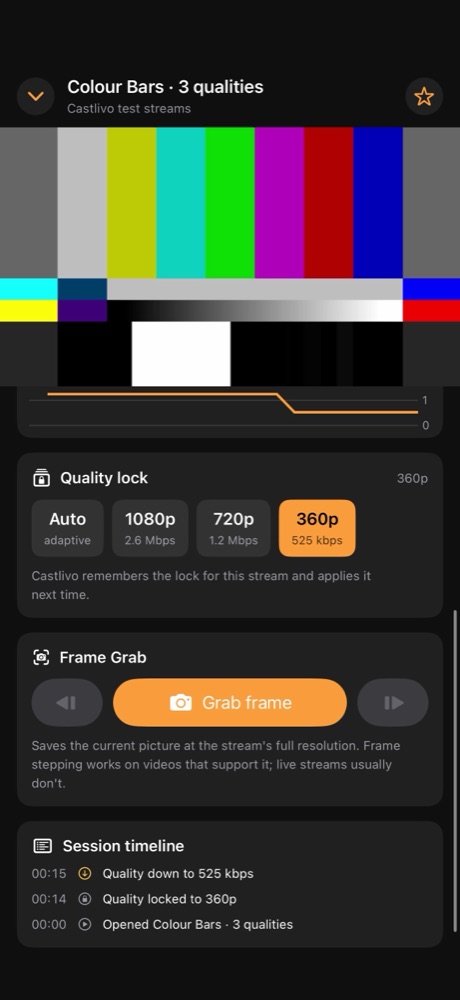
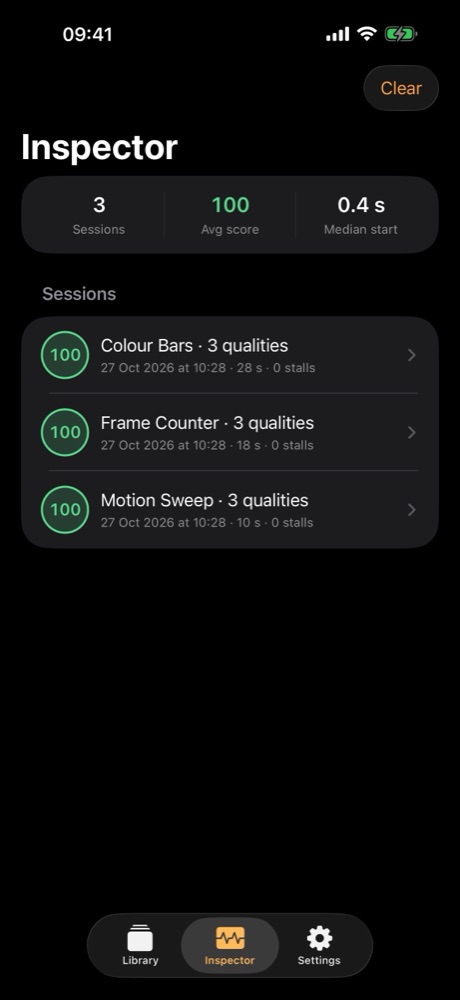
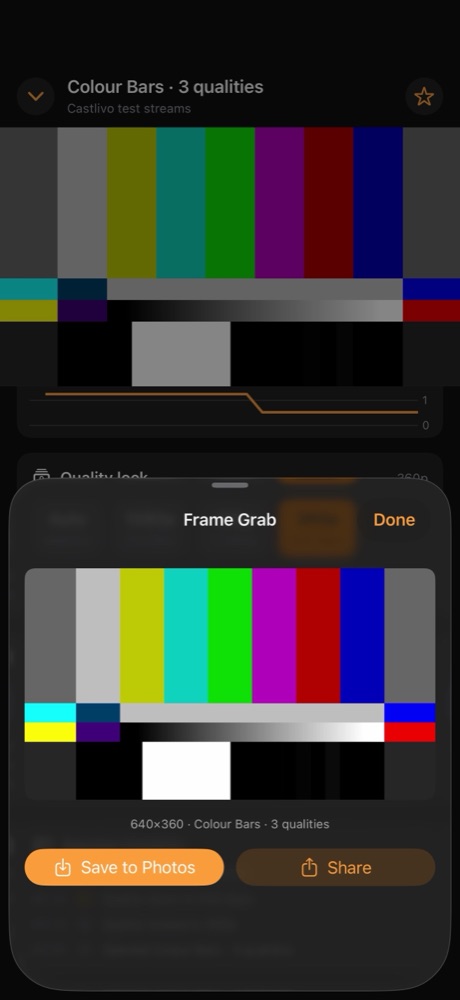
Screenshots show Castlivo's own test streams (colour bars made by us).
A complete player
- M3U playlist links and files, single HLS (.m3u8) or video links, and Xtream Codes logins with live channels and movies.
- Groups, search, favorites and a Continue Watching row.
- Picture in Picture, AirPlay and full screen through the iOS system player.
- Sound keeps playing in the background with Lock Screen controls (you can turn this off).
- Try everything without a provider: three test streams we made, each in three qualities.
Private by design
No account, no ads, no in-app purchases, no analytics and no third-party SDKs. Your playlists and sessions stay on your iPhone, and Xtream passwords are kept in the iOS Keychain. Read the privacy policy.